- DATE:
- AUTHOR:
- Jira product team
Welcome every Jira user, your way
New: custom onboarding in Jira
When new teammates join Jira, their first experience can make or break how quickly they feel confident. But every company and team works differently. With custom onboarding, you can design tailored, on-brand welcome experiences that reflect how your teams actually plan, track, and deliver work, so new users ramp up faster from day one.
How it works
Create role-based welcome experiences
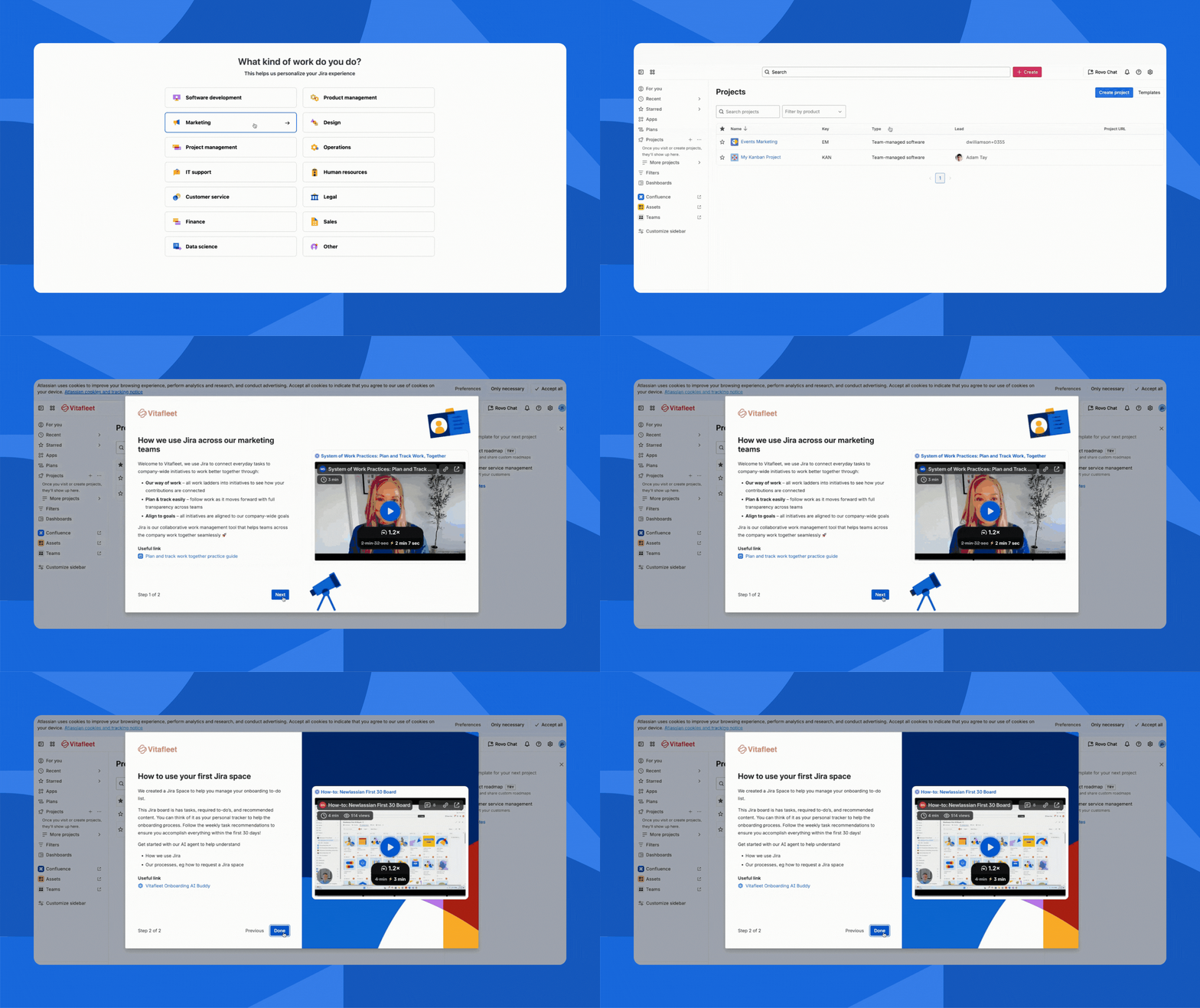
Give each role only what they need to get started. With custom onboarding, admins can build unique flows for 14 different roles – from Engineering and Product to Marketing, Design, and Finance. New users pick their role and see the examples, language, and next steps that are most relevant to them.
Bring your company’s way of working into Jira
Add custom welcome messages, branding, cover images, and embedded videos that introduce your teams, rituals, and workflows. Highlight key projects, how you expect work to be planned and tracked, and where to go for help so new users understand how your org actually runs in Jira.
Guide users with embedded resources
Stop sending new hires on a scavenger hunt. Directly in the onboarding experience, you can embed links to internal documentation, playbooks, Jira spaces, and best-practice guides for each role. Whether it’s a release readiness checklist for engineers or a campaign template for marketers, everyone starts with the right resources in one place.
Measure and improve overtime
Know what’s working and what’s not. With built-in analytics, you can see which roles engage most, which links get clicked, and where users drop off. Use these insights to refine content, fill knowledge gaps, and help new cohorts become productive even faster.
Get started with custom onboarding
Custom onboarding is configured at the site level, so you can design experiences that support all the roles using Jira across your organization.
For Jira Admins
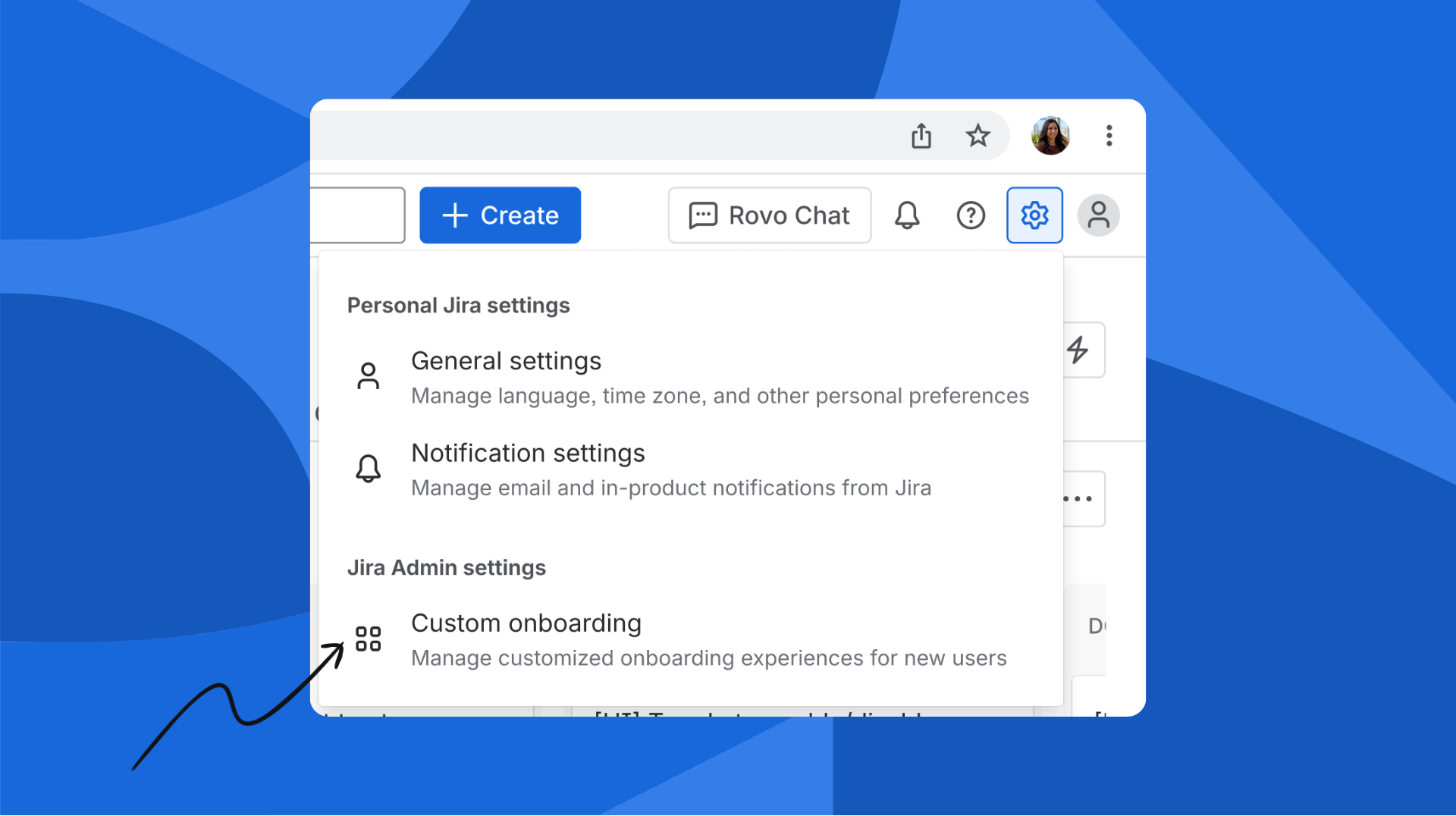
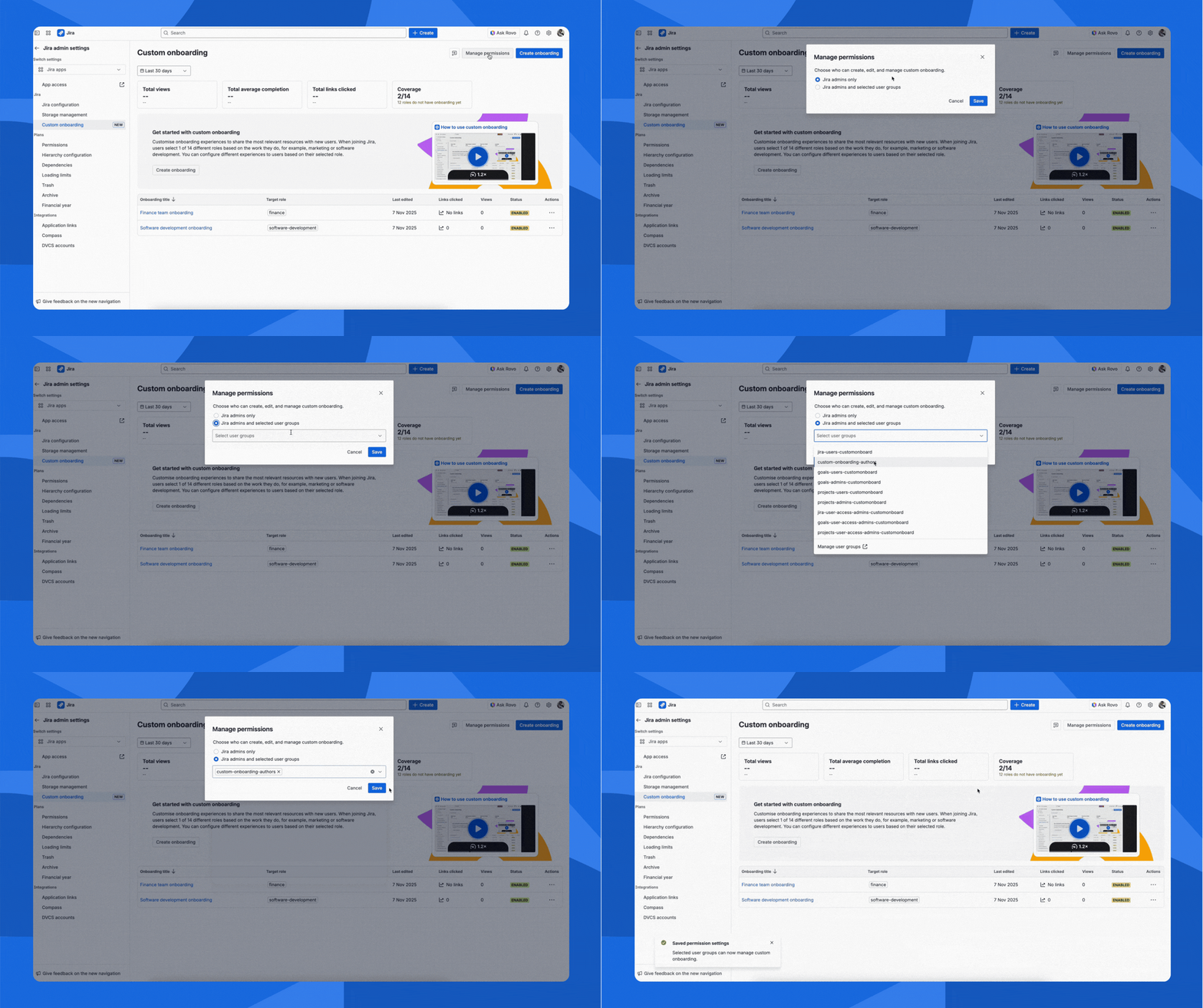
Go to Settings → Jira Apps → Custom onboarding to create and manage onboarding experiences, define role-based flows, and control access.
From there, you can also open Manage permissions to decide which user groups can create and edit onboarding content, so the right people can keep onboarding fresh without needing full admin rights.
For Non-Admins
Once you’ve been granted the manage custom onboarding permission, go to Settings → Custom onboarding to create or edit experiences for your domain – whether that’s engineering, marketing, design, or any other team.
This lets the people closest to the work own onboarding, so content stays accurate, relevant, and aligned to how your team actually uses Jira.